
The long-awaited Peakboard version 4.2 is finally here!
Let’s take a look at the most important features:
- Parameterized data flows
- Nested styled lists
- Camera integration
- Performance improvements
- OPC UA Functions and complex nodes
Let’s explore how these features work!
Parameterized Data Flows
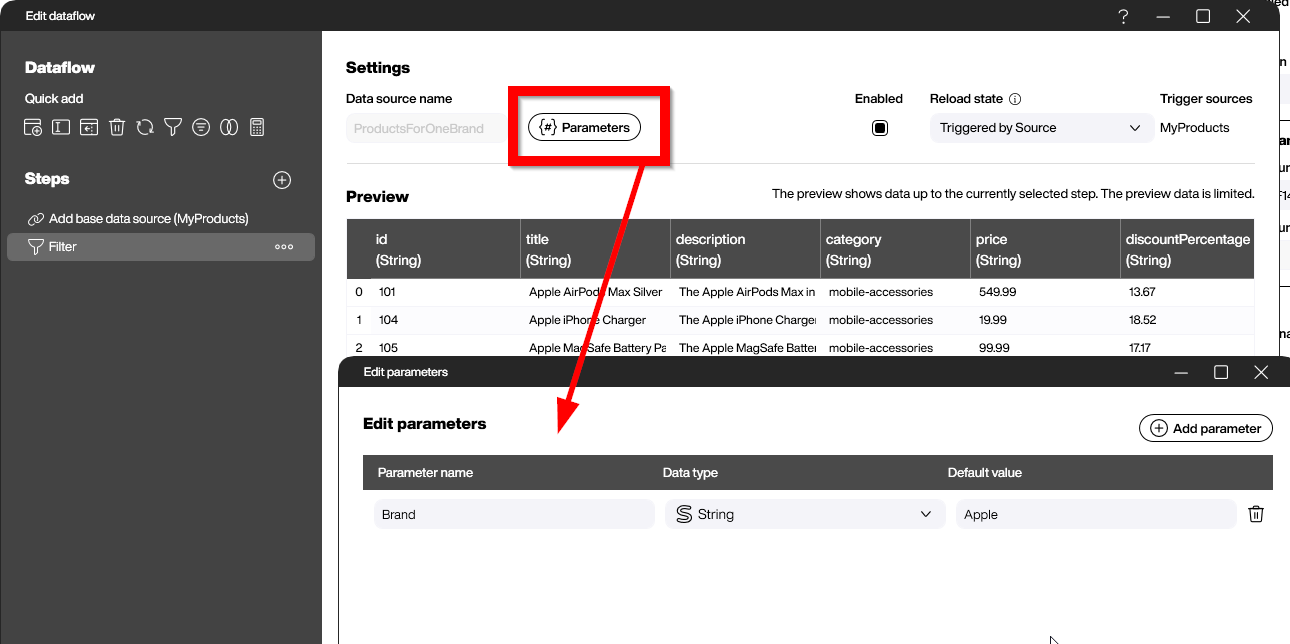
Since their introduction more than three years ago, data flows have been the number one tool for transforming data from its original shape to the form needed for visualization or processing. With the new version, we can use parameterized data flows. The idea is to always use the same data flow for different tasks, as long as the data flows are similar and distinguished by one or more parameters. In this article, we were discussing a great example of how to filter the same source for different parameters using only one dedicated data flow.
Nested Styled Lists
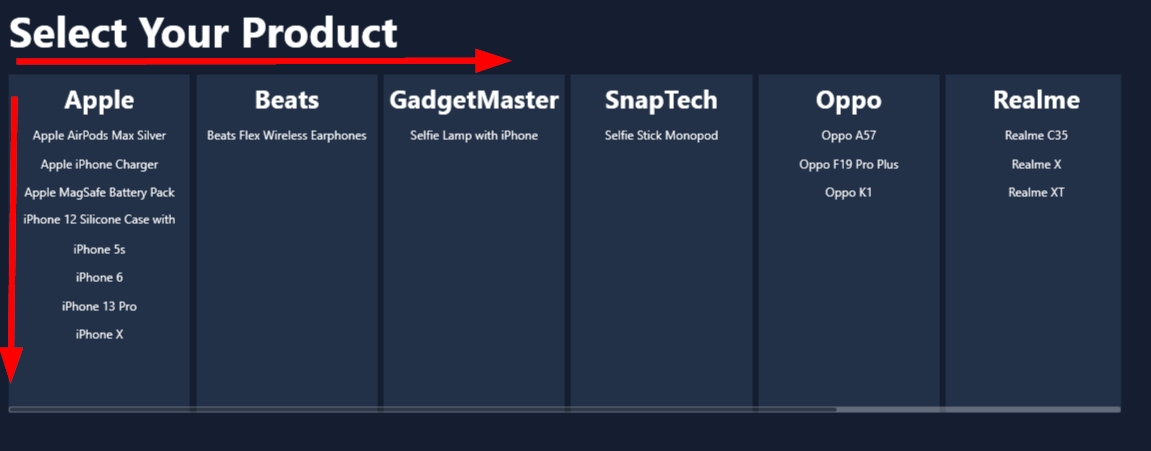
Many dedicated Peakboard users have asked for a better option to build UIs that display multidimensional data. With version 4.2, nested styled lists are now a reality. We can place a styled list within the template of another styled list to create Kanban-board-like applications that are fully dynamic. This means that the data for both dimensions does not need to be known during design time. This works perfectly in combination with parameterized data flows.
Camera Integration
Peakboard is more commonly used on regular tablets rather than fixed touch screens. Along with this type of usage, we can now access the camera from within the Peakboard application. There are many use cases available, such as documenting quality problems. Even more sophisticated use cases, like using image recognition along with AI, are possible. For the first steps on how to access, handle, and process camera images, we will discuss this in The Eyes-On Interface - A Deep Dive into Peakboard Camera Integration.
Performance Improvements
Good performance and excellent responsiveness are among the most important attributes for happy end users. In version 4.2, there are numerous performance improvements for both designer users and end users. This is especially true for large applications with many different data sources and/or a high refresh frequency. The most important improvement is the prevention of refresh queuing. This means that a refresh is automatically canceled when the data source is already refreshing and has another refresh in the queue. So, the runtime automatically prevents refreshes from accumulating and unnecessarily slowing down the application.
OPC UA Functions and complex nodes
The OPC UA universe is dealing with more and more complex nodes that can carry lots of dynamic information. The new version introduces an improved node handling to allow complex and nested nodes. Beside this it offers new Building Blocks for calling OPC UA functions. So no native LUA coding is necessary anymore. Both advanced techniques are summarized in the articles Advanced OPC UA - Function Calls in Peakboard and Advanced OPC UA - Orchestrating and Processing Complex Nodes.