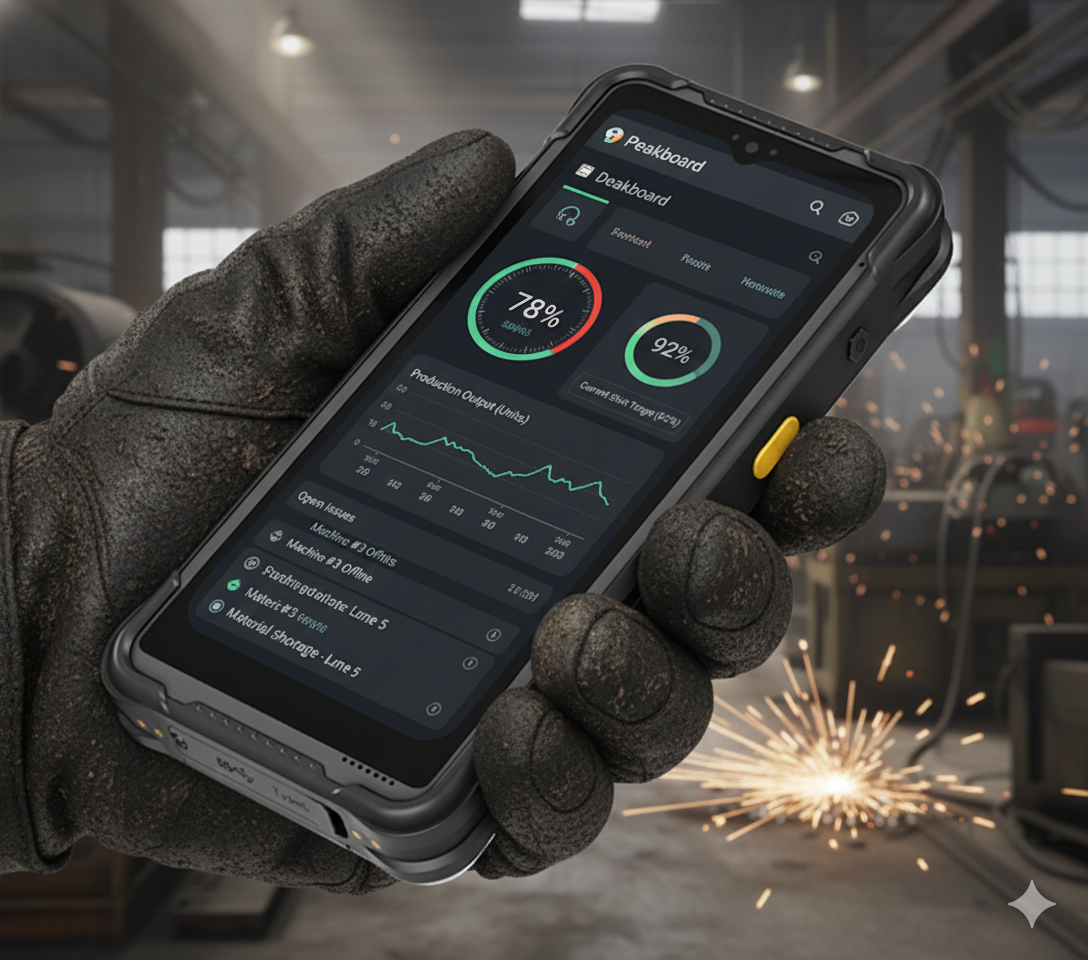
The SCORPION 6X V2 is a rugged handheld device built for industrial environments. This compact yet powerful device features a 6-inch display, robust construction that withstands drops and harsh conditions, and impressive battery life. What makes it particularly interesting for Peakboard is that it runs Windows, making it an ideal candidate for running Peakboard apps. However, the device doesn’t come with Peakboard pre-installed. To get your SCORPION 6X V2 up and running with Peakboard, you’ll need to install Peakboard BYOD (Bring Your Own Device). This turns your handheld into a powerful mobile mission control center.
Screen Resolution and Layout
When designing Peakboard apps for the SCORPION 6X V2, one critical factor to keep in mind is the screen resolution. The device has a display with a resolution of 700x1600 pixels. This narrow, portrait-oriented format is quite different from traditional dashboard displays, so you’ll need to design your apps accordingly. The images below show how content should be laid out to make the best use of this vertical screen real estate:
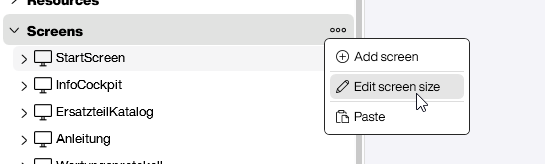
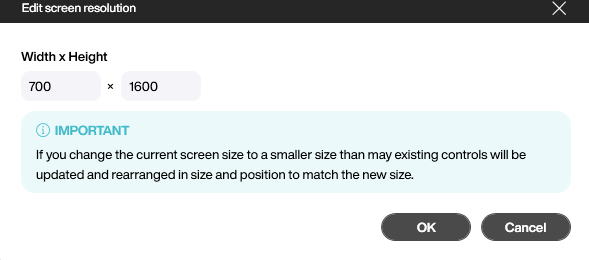
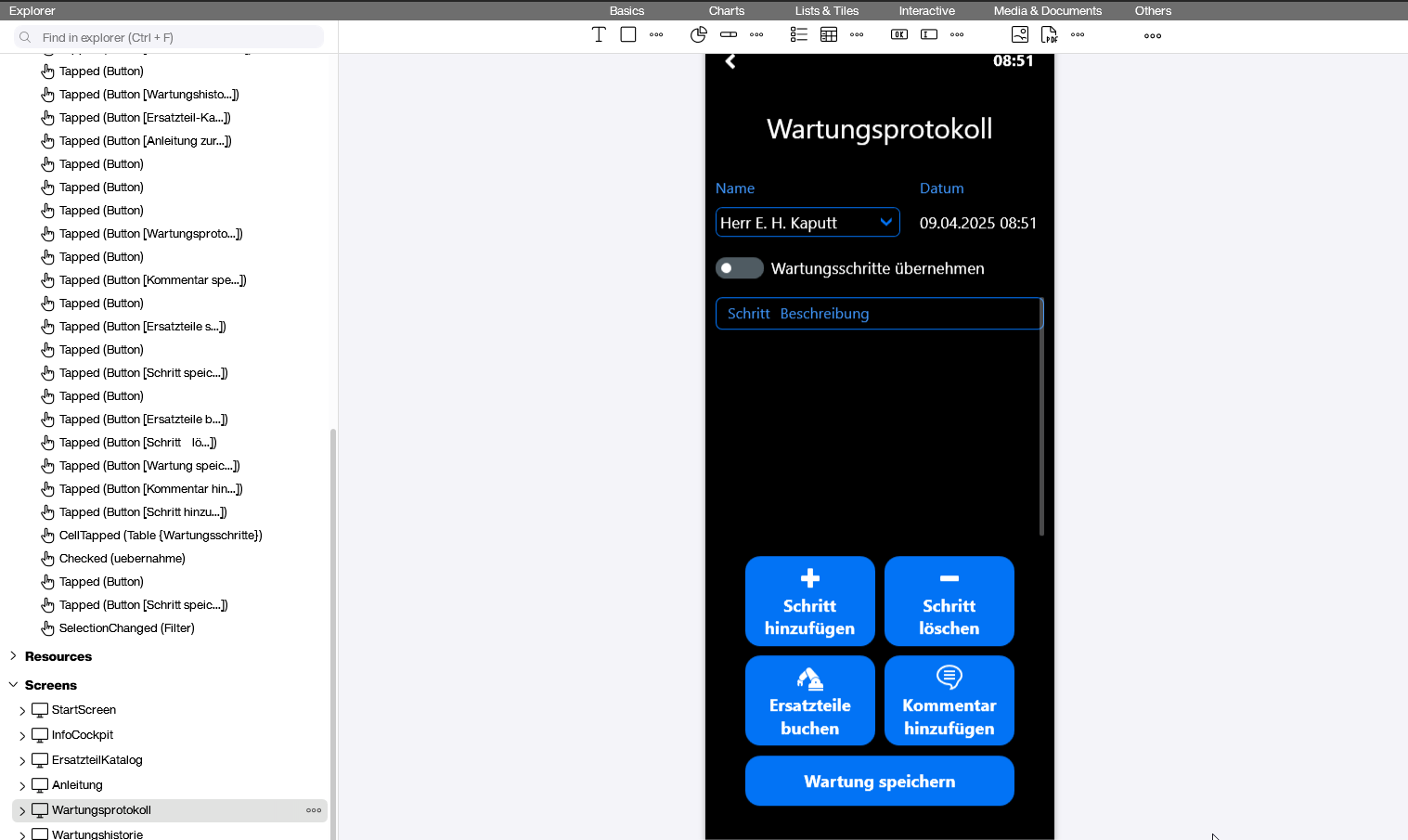
The screenshot above shows the SCORPION 6X V2 screen in Peakboard Designer’s design mode. This view helps you optimize your app layout for the device’s unique resolution and orientation.
By keeping these dimensions in mind during the design phase, you can create apps that look polished and are easy to navigate on the handheld device.
Using the Onboard Barcode Scanner
One of the most powerful features of the SCORPION 6X V2 is its integrated barcode scanner. This opens up fantastic use cases for warehouse management, inventory tracking, and quality control.
Before you can use the scanner, you need to activate it and install the driver, which can be found here. After completing the setup in admin mode, scan the following barcode to finish the configuration. Once you reboot the device, the scanner will be ready to use.

To leverage this hardware piece, you can use the Barcode Scanner Extension for Peakboard. The extension seamlessly integrates the device’s scanner into your app, allowing users to capture barcodes with a single click.
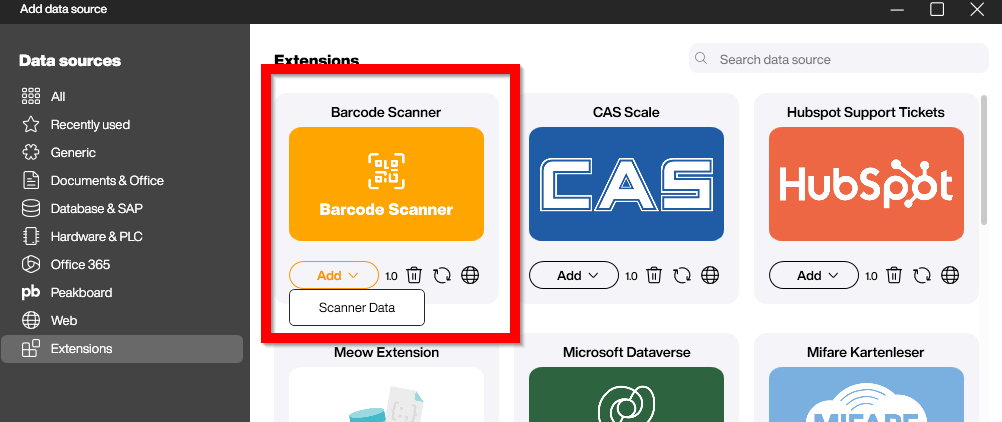
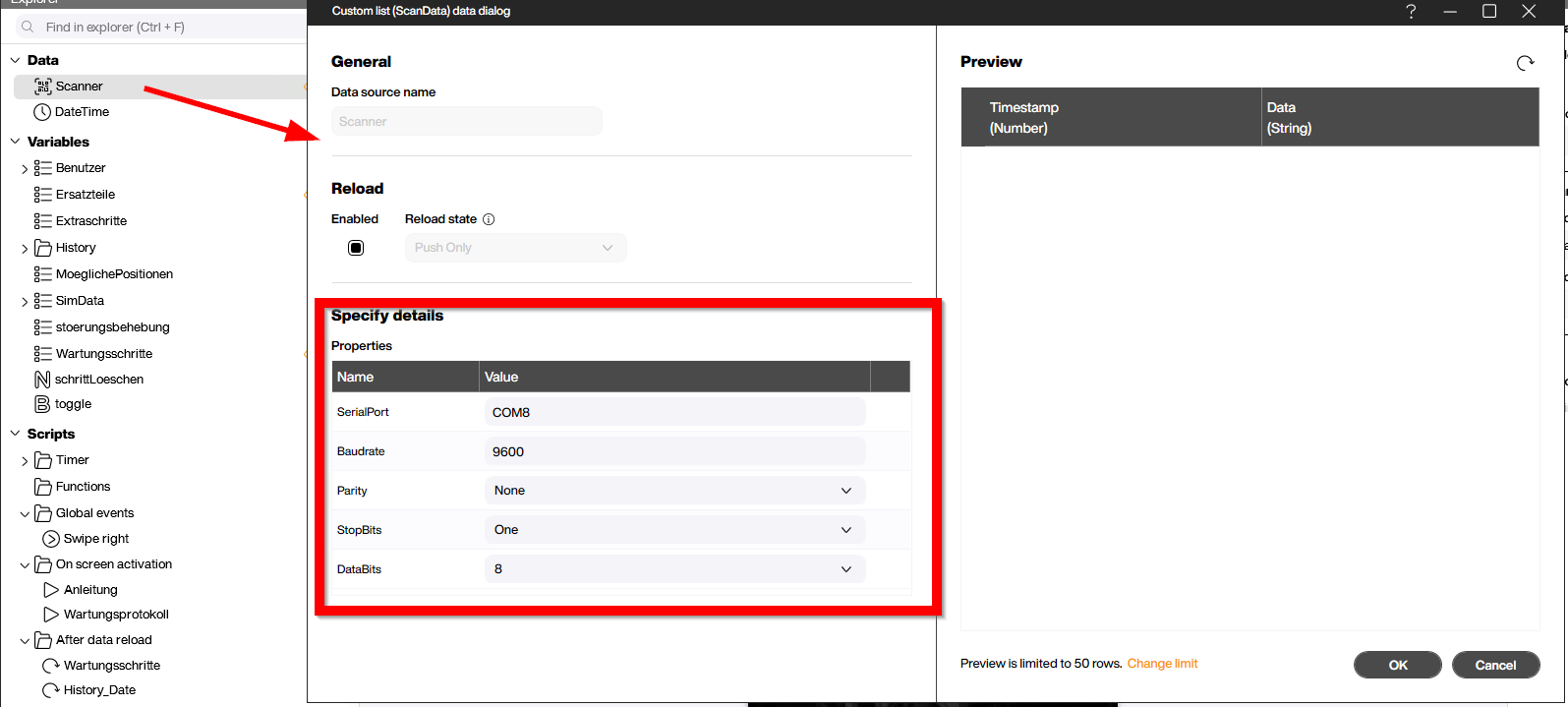
Once you’ve installed the extension and added it to your app, capturing barcode data is straightforward. Users can trigger the scanner and have the result automatically populated into your app’s logic, allowing for rapid data entry and real-time decision-making on the shop floor.
Every time a barcode is scanned, the processing of the scanned value happens in the refreshed event. The scanned value is then available for your building blocks, enabling you to trigger workflows, update data sources, or modify the UI based on what was scanned:

Machine Maintenance Use Case
Let’s look at a practical example of how the SCORPION 6X V2 can transform field operations. One of the most impactful use cases is mobile machine maintenance. Imagine a technician on the factory floor using the handheld to access critical machine data, log maintenance activities, and update the status of equipment repairs in real-time. No more paper checklists or returning to the office to enter data—everything happens right there at the machine.
The sample PBMX file below demonstrates this concept in action. It shows how to build a simple maintenance tracking app that helps technicians stay organized and keep your machines running smoothly:
Download PeakboardWorksMaintenance.pbmx
For a quick visual walkthrough of this use case in action, check out this video:
The SCORPION 6X V2 running Peakboard BYOD essentially gives you a capable terminal for executing real-time dashboards and data processing workflows on industrial hardware. The combination of the barcode scanner hardware integration, the 700x1600 display resolution, and Peakboard’s building block architecture makes it a technically solid platform for deploying edge-based applications that require minimal latency and offline capability.