
We have discussed OPC UA extensively. It is one of the top five most used data sources with Peakboard, especially in factories and industrial environments. Most OPC UA values exchanged between Peakboard applications and OPC UA servers are scalar values that are mapped to one of the three Peakboard data types: string, number, or boolean. In this article, we focus on complex data types that deliver multiple or dynamic information elements in a single OPC UA node—most commonly arrays. We will discuss two examples and how to handle them: a dynamic array and a complex, multi-nested object.
The setup
In the sample pbmx, we connect to the OPC UA server at opc.tcp://opcuademo.sterfive.com:26543. The nodes we are interested in are Position and Server/ServerStatus.
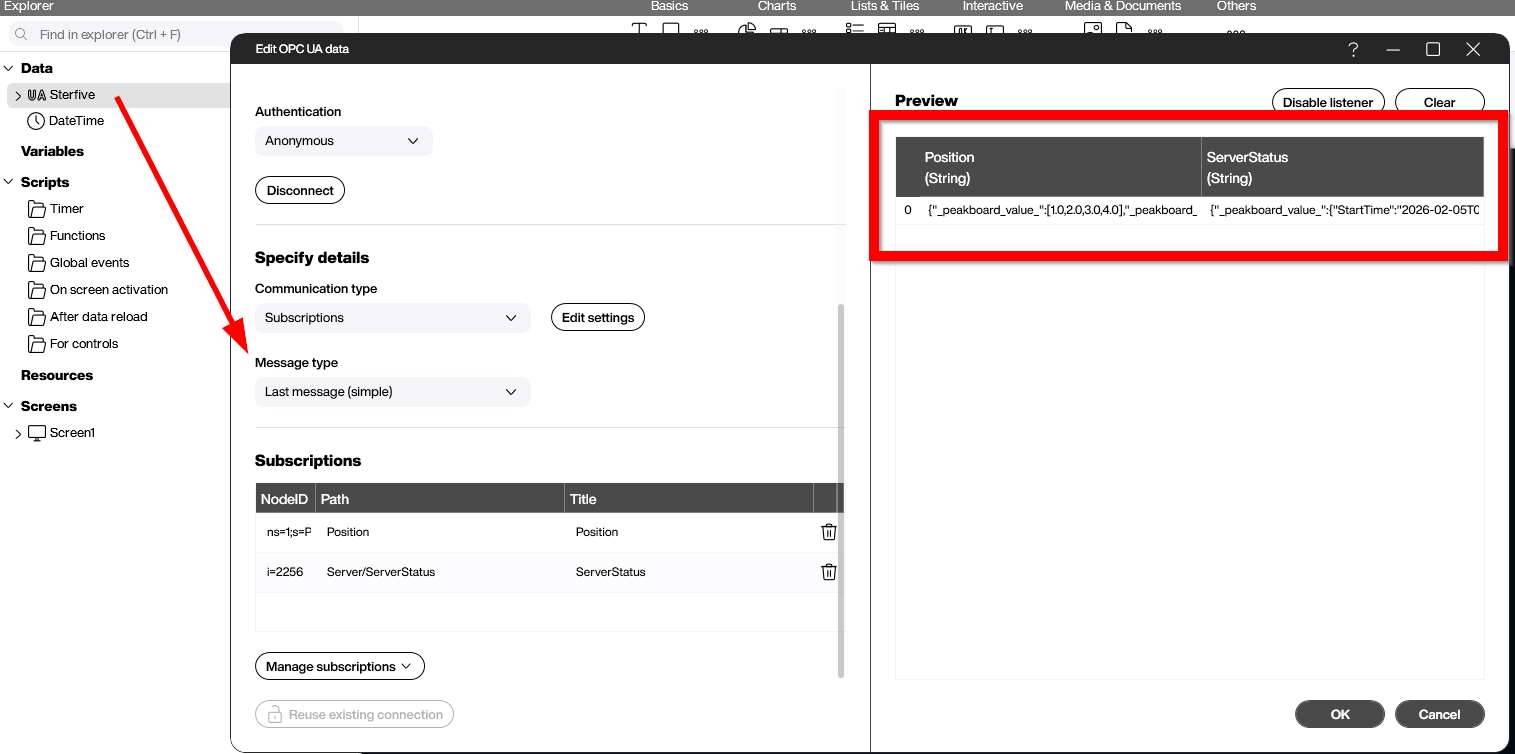
The Position node contains a simple array of numbers. The number of array items can vary depending on the server state or configuration.
[1.0,2.0,3.0,4.0]
As we can see in the screenshot above, the Peakboard data source does not provide the pure value directly. Instead, it is embedded in an additional JSON layer. So, the actual value looks like this:
{"_peakboard_value_":[1.0,2.0,3.0,4.0],"_peakboard_datatype_":1}
The reason for this additional JSON layer becomes clear in the next steps. Let’s take a look at the complex Server/ServerStatus node. This is the initial payload that comes from the server:
{
  "StartTime": "2026-02-05T03:34:46.389Z",
  "CurrentTime": "2026-02-07T16:58:40.369Z",
  "State": 0,
  "BuildInfo": {
    "ProductUri": "NodeOPCUA-Server-for-CTT",
    "ManufacturerName": "NodeOPCUA : MIT Licence ( see http://node-opcua.github.io/)",
    "ProductName": "NodeOPCUA-Server",
    "SoftwareVersion": "2.157.0",
    "BuildNumber": "1234",
    "BuildDate": "2020-02-01T00:00:00Z"
  },
  "SecondsTillShutdown": 0,
  "ShutdownReason": {
    "Locale": null,
    "Text": null
  }
}
This payload is also embedded in the same JSON layer: {"_peakboard_value_":<OriginalPayload>} for further processing. This approach ensures consistency and makes it easier to handle both simple and complex data types in Peakboard.
Dataflow for Position Array
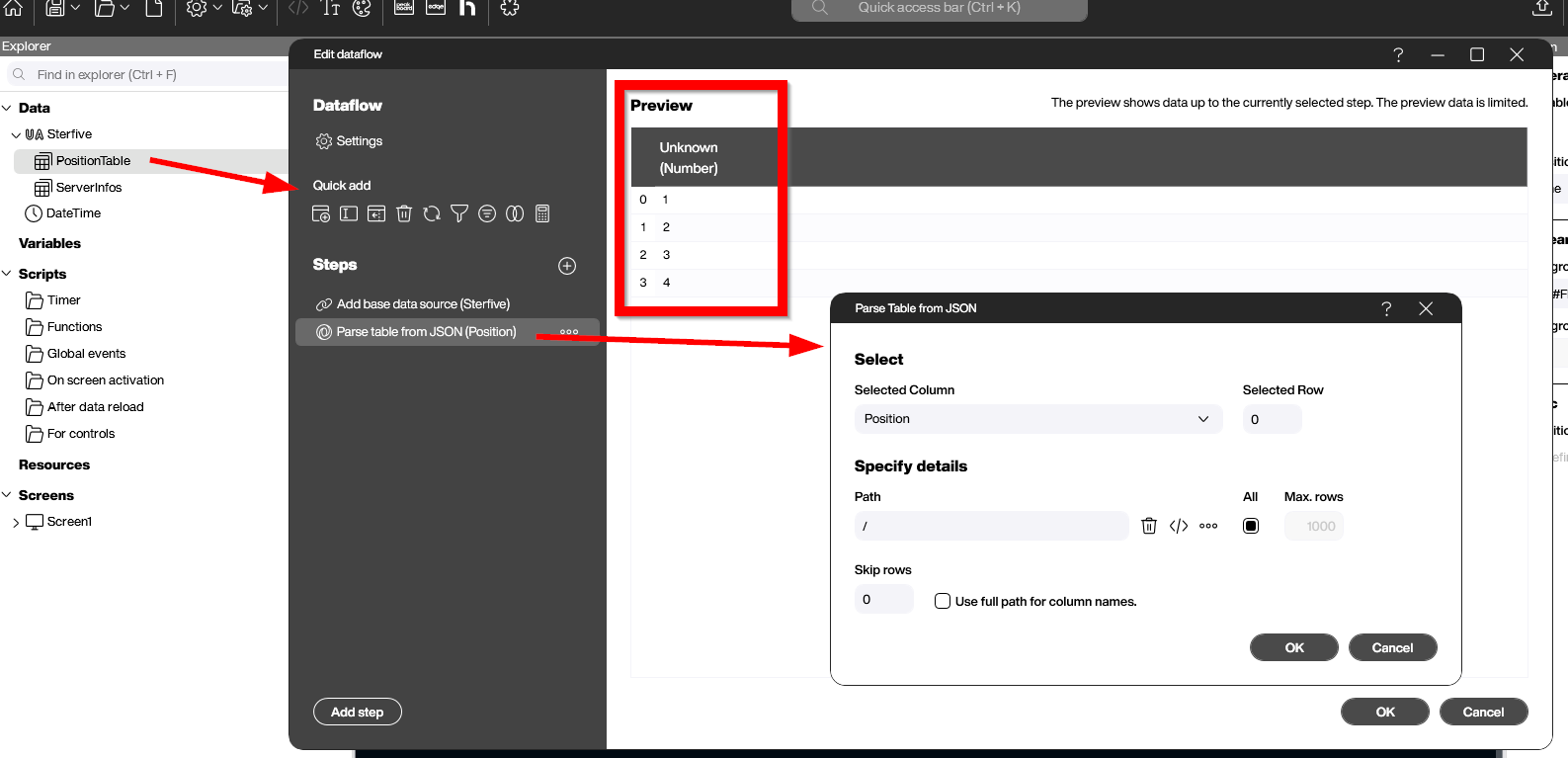
To extract the value and make it available for later use, we build a dataflow to turn the JSON value into a usable data table. We only need one dataflow step called Parse table from JSON, which transforms our JSON into a completely new table. The screenshot shows this step. In the preview, we can see that all array elements are now rows in the new table. All the magic happens automatically, without any coding required.
Dataflow for Multi-Nested Object
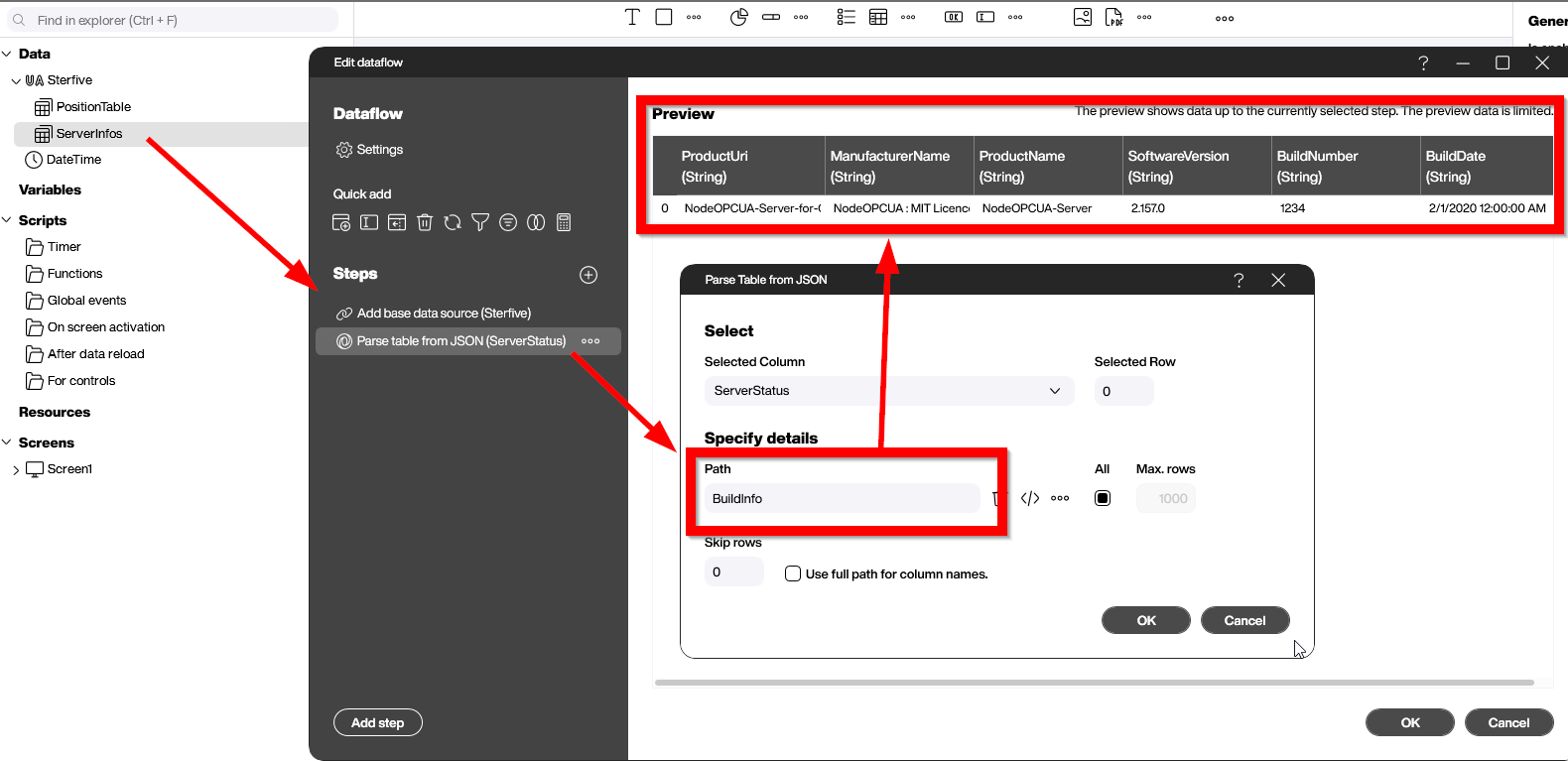
The same approach we used for the one-dimensional array works for the second, multi-nested object as well. Here, we can use the path attribute to point to a specific position within the JSON. The screenshot shows the path BuildInfo. The result can be seen in the preview. As the BuildInfo is a collection of scalar attributes, it is turned into a table with one row. Again, no coding is necessary.
Conclusion
Through these two examples, we have learned how to process complex OPC UA nodes effortlessly by using data flows and the built-in Parse JSON step. This pattern can solve probably 90% of all requirements. For the remaining 10%, you can use a Building Block function within the data source’s refreshed event. Here, the JPath building block can be used, as explained in the article Taming JSON - How to use JPath in Peakboard scripts.