CAS is a Korean company that makes industrial and commercial scales. In this article, we’ll explain how to connect to those scales with Peakboard. (Spoiler alert: It’s easy!)
Install the CAS extension
Our first step is to install the CAS extension. We do this directly from Peakboard Designer:

To see the extension’s documentation and source code, visit the CAS extension GitHub.
Set up a CAS data source
Let’s go over the process for setting up a CAS data source.
Choose the right data source
As of early 2026, the CAS extension supports four different CAS data sources—providing support for two series of CAS scales (PDN and PB2) and two protocols for each series:
- PDN ECR Typ 12
- PDN ECR Typ 14
- PB2-Serial
- PB2-BLE (Bluetooth)
For our demo, we choose the PDN ECR Typ 14 data source.
Identify the scale’s port ID
When we plug our scale into a USB port, the scale automatically emulates a virtual COM port. In order for our data source to connect to the scale, we need to identify the scale’s COM port ID.
To do this, we open Windows Device Manager and look for the virtual COM port that the scale created. There may be other virtual or physical COM ports, so the correct COM port ID can change based on the system.
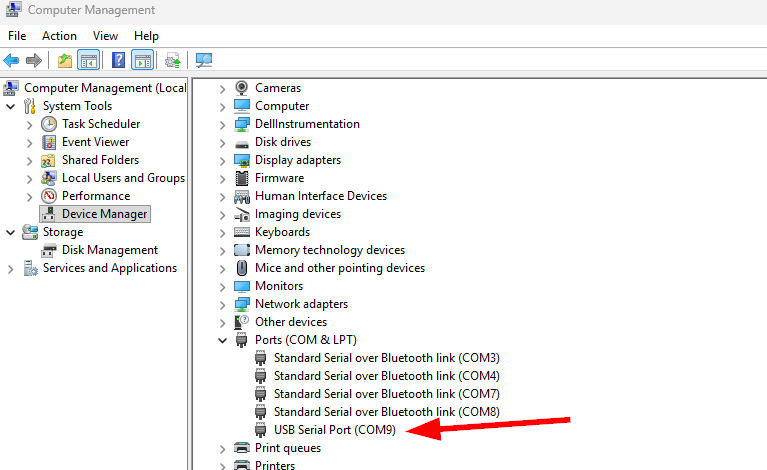
Then, we enter the port ID into the data source dialog and click on the preview button.
Note: The scale continuously sends the current weight to the data source. That’s why the reload state is set to Push Only.
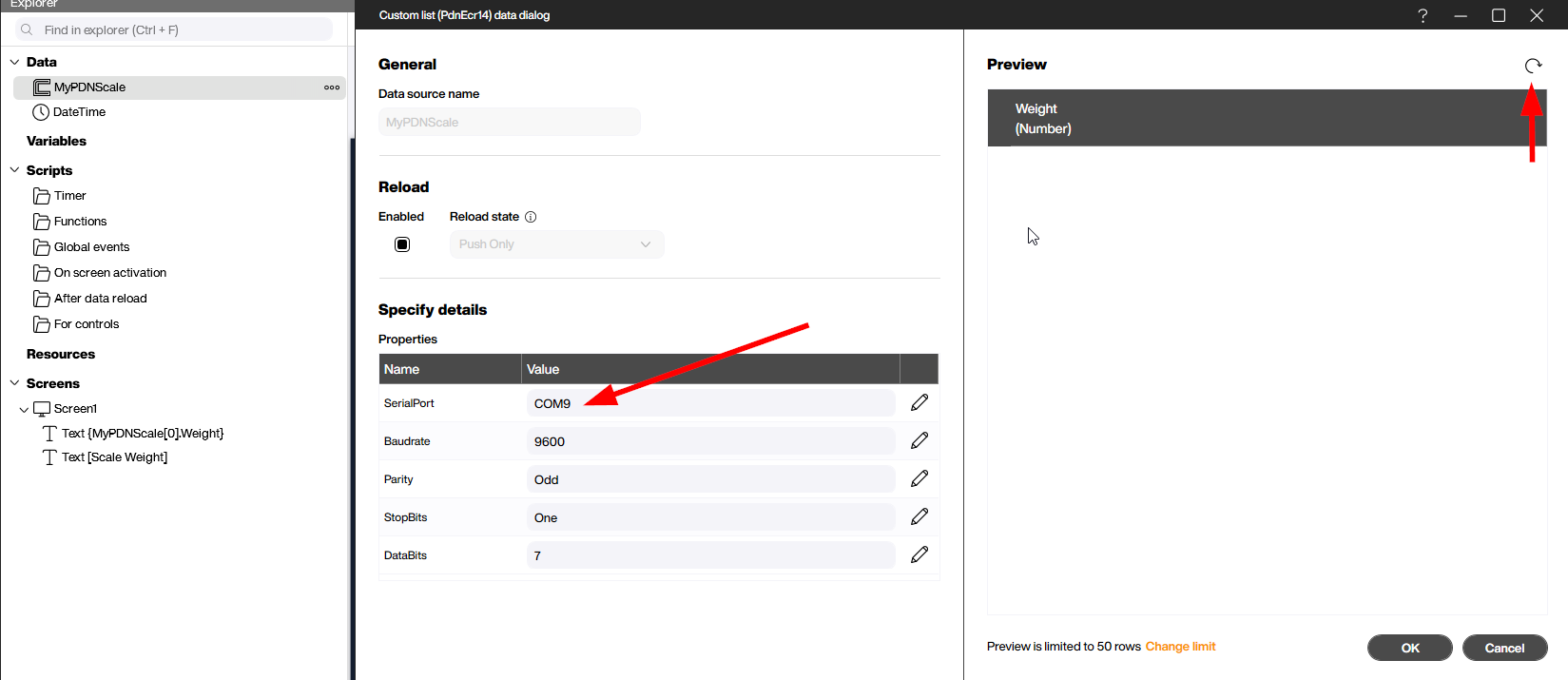
Note: You can also connect the scale to a physical COM port, if the Peakboard app is running on a machine with a physical COM port.
Different protocols: ECR 12 and ECR 14
Data exchange through the COM port is not standardized. That’s why the PDN scale supports many different protocols (typically those used by POS systems). To learn how to set your PDN scale’s protocol, see the PDN manual.
For our demo, we’re using ECR 14. ECR 14 is a basic protocol where the scale continuously streams the weight that it measures, to the host device (in our case, the Peakboard Box or BYOD system is the host device).
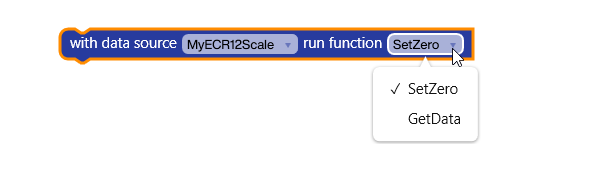
The more sophisticated ECR 12 protocol (which is also supported by the CAS extension) doesn’t stream the weight continuously. Instead, it requires the host device to manually ask the scale for the current weight. In Peakboard Designer, you can do this by using the GetData function. (Again, this is only for ECR 12. This is not necessary with ECR 14). You can also zero the scale with the SetZero function.
Simple demo app
Now, let’s build a simple demo app that displays the weight measured by the scale. All we need to do is bind the data source to a text field and format the number properly:
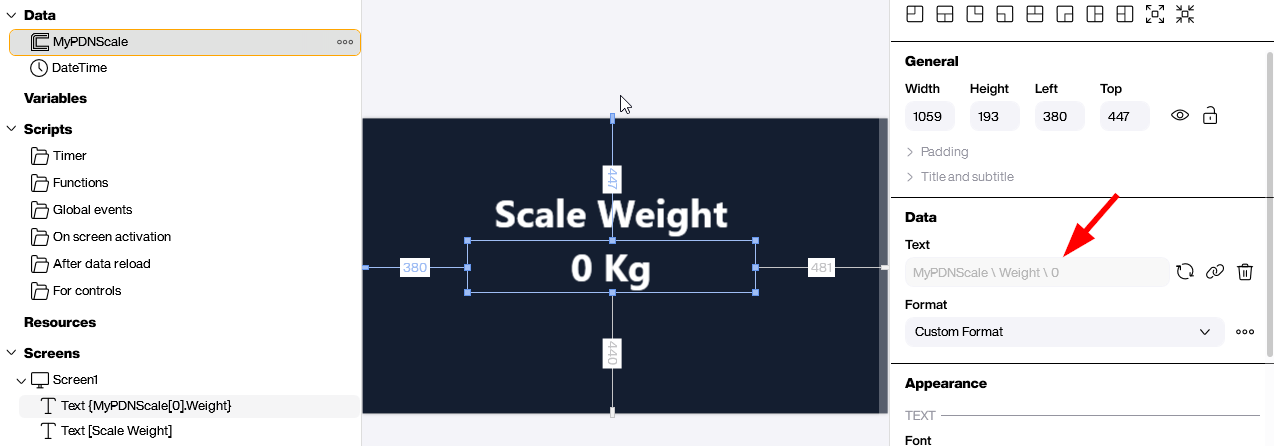
The following video shows our app in action. As you can see, the data transfer happens instantly.
Baking scale app template
Finally, let’s take a look at a baking scale app. This app lets the user weigh the ingredients for different dessert recipes. But the great thing about this app is that it’s easy to modify, so you can use it as a template to quickly spin up a production-ready application. Download it here!
Now, let’s go over how the app works. First, the user chooses a recipe. By default, the recipes are for Austrian desserts. But you can imagine how the “recipes” could be changed to all sorts of things. For example, you might have a recipe that calls for 2 kg of screws and 0.5 kg of O-rings.
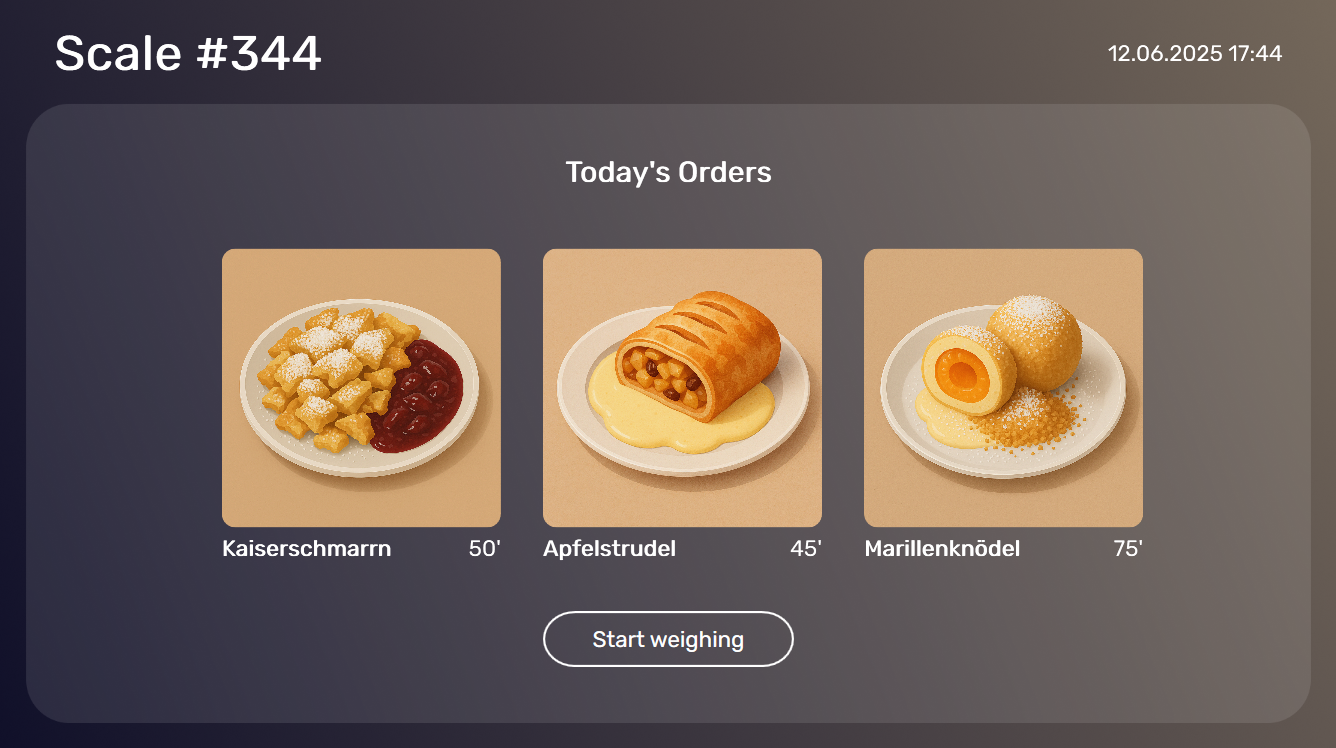
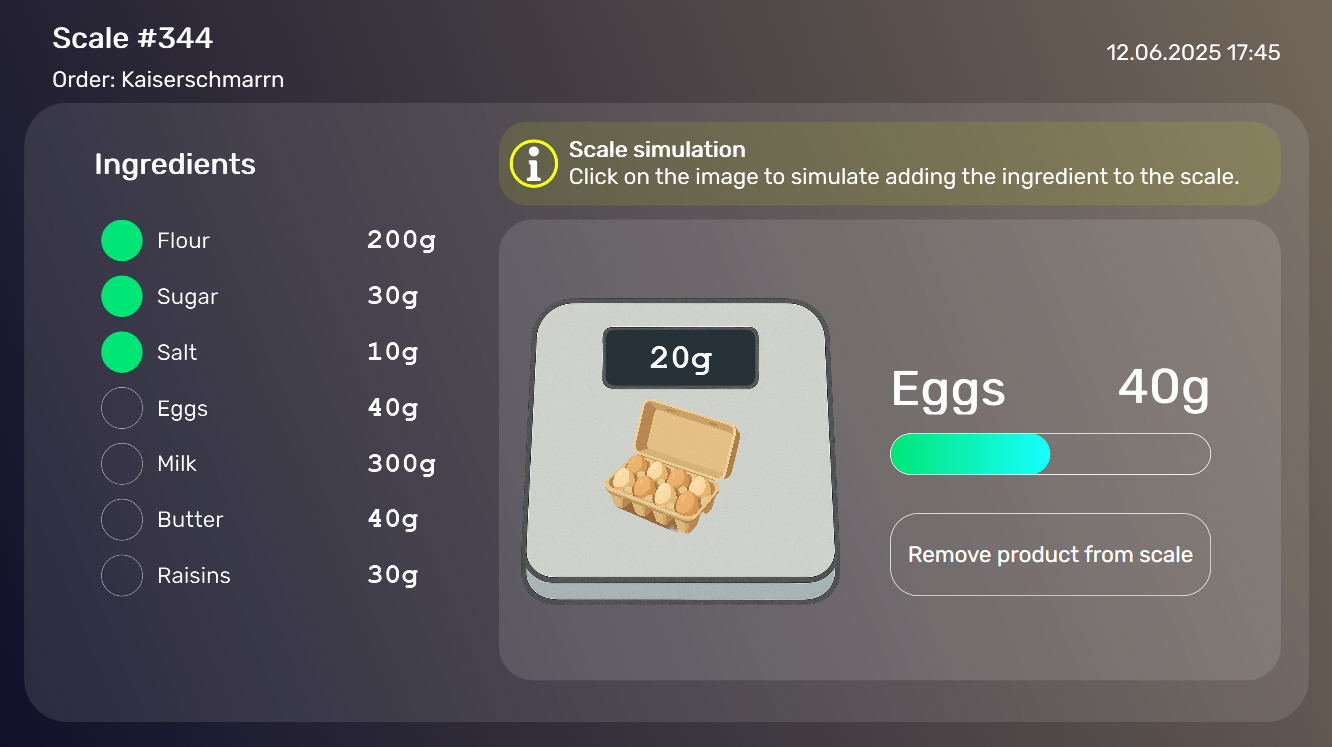
After the user chooses a recipe, the application displays the first ingredient and the required weight for that ingredient. The scale on screen shows the current weight measured by the scale. The user must then add the appropriate amount of the ingredient onto the scale. Once they are done, they confirm and move onto the next ingredient. They keep doing this until all the ingredients are measured.
Conclusion
As you can see, it’s easy to build a Peakboard app for a CAS scale. The CAS extension is versatile enough to support multiple scales and protocols. And you can use the baking scale app template as a great starting point for any recipe-style application.